
Laptop repair
Laptop overheating and fan service in Coimbatore
Heat shortens the life of a laptop and slows it down. Dust in the vents and dried thermal paste are the most common causes, and both are straightforward to fix.
Our workshop is in Saravanampatti, near Prozone Mall, and we collect from across Coimbatore with free pickup and delivery. Visiting us? See overheating and fan service in Saravanampatti.
★★★★★ 4.9 on Google · 23 reviewsSigns you need this
Common signs and symptoms
- The fan is loud or runs constantly
- The laptop gets too hot to touch
- It slows down or freezes when working
- It shuts down suddenly under load
- Games stutter or drop frames
How we handle it
What happens at our bench
We open the laptop, clean the fan and the heat pipes, replace dried thermal paste, and check the fan itself. If the fan is failing we replace it. After service we test the machine under load so you can see the temperatures settle.
What we cover
What we can do for you
- Fan and vent cleaning
- Thermal paste re-application
- Cooling fan replacement
- Temperature and load testing
At a glance
Quick facts
| Service type | Laptop repair |
|---|---|
| Provided by | NIKA IT SOLUTIONS |
| Service area | Coimbatore, with free pickup and delivery |
| Includes | Fan and vent cleaning, Thermal paste re-application, Cooling fan replacement, Temperature and load testing |
| Pickup and delivery | Free |
| Estimate | Written estimate before any work starts |
| Workshop | 1st Floor, Sathy Rd, Sivanandhapuram, Ramakrishnapuram, Saravanampatti, Coimbatore, Tamil Nadu 641006 (near Prozone Mall) |
| Opening hours | Monday to Sunday, 9:00 AM to 10:00 PM |
| Brands serviced | Dell, HP, Lenovo, ASUS, Acer, MSI, Samsung, Apple MacBook |
Causes
Why overheating and fan service is needed
Dust blocking airflow
Dust builds up on the fan and vents over time and traps heat inside the laptop.
Dried thermal paste
Old paste between the processor and the heatsink conducts heat poorly, so temperatures climb.
A failing fan
A worn fan spins slowly, makes noise or stops, and the laptop shuts down to protect itself.
Heavy use and poor ventilation
Using the laptop on a bed or sofa blocks the vents, and demanding software adds heat.
Cost and decision
What affects the cost
- Whether a clean and fresh thermal paste is enough, or the fan needs replacing
- The laptop model, since some are much harder to open and clean
- Whether the heatsink or other parts show wear or damage
- Whether another fault, such as a battery or board issue, is causing the heat
Repair or replace
How we help you decide
Overheating is often fixable with a proper clean and fresh thermal paste, which extends the life of a laptop that is otherwise fine. If heat is a symptom of a board fault, we tell you before any work and give a written estimate.
We give a written estimate before any work, so you can compare it with the cost of replacing the device.
Before you hand it over
How to prepare your laptop
- Note when it overheats: while gaming, on startup or all the time
- Keep the charger with the laptop
- Tell us if the fan is loud, silent or the laptop shuts down suddenly
- Use it on a hard flat surface until the service
Real job
Before and after from our bench
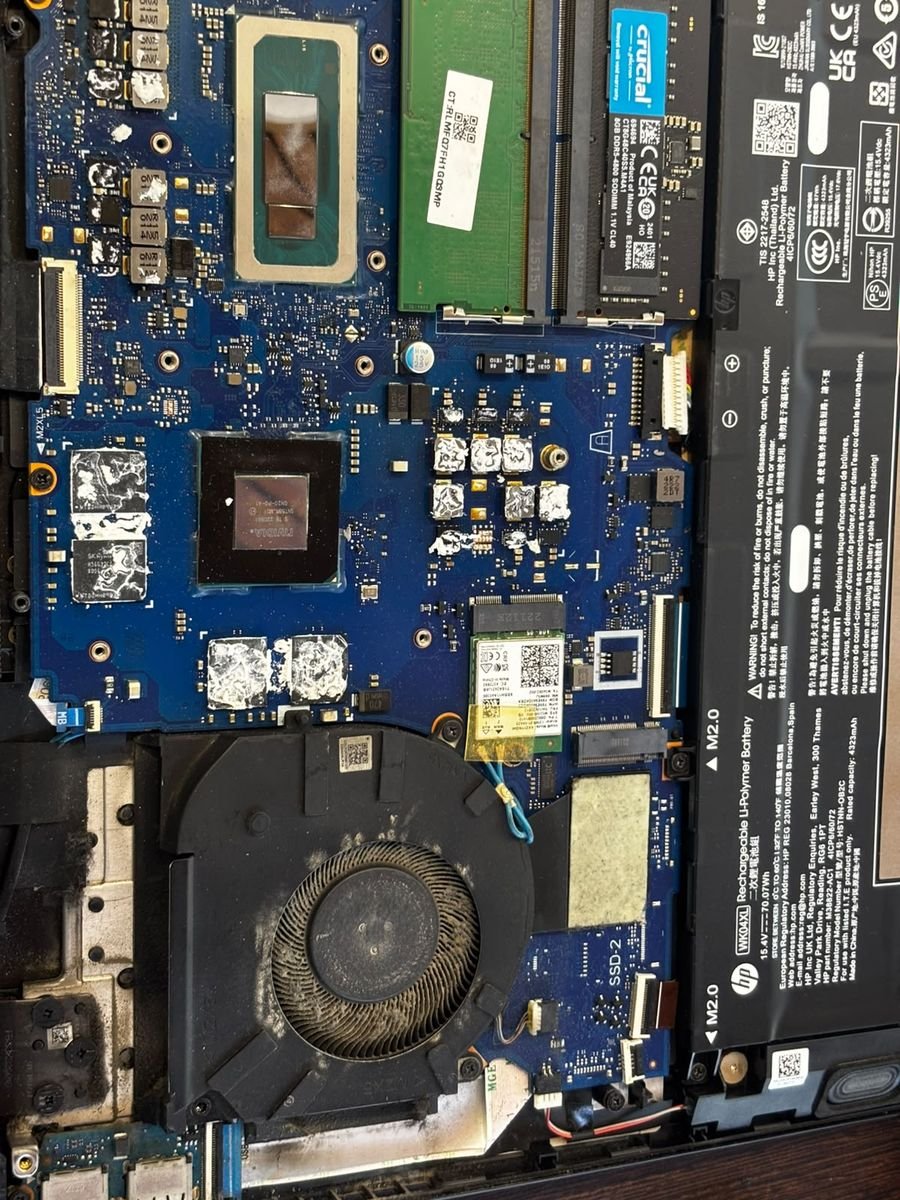
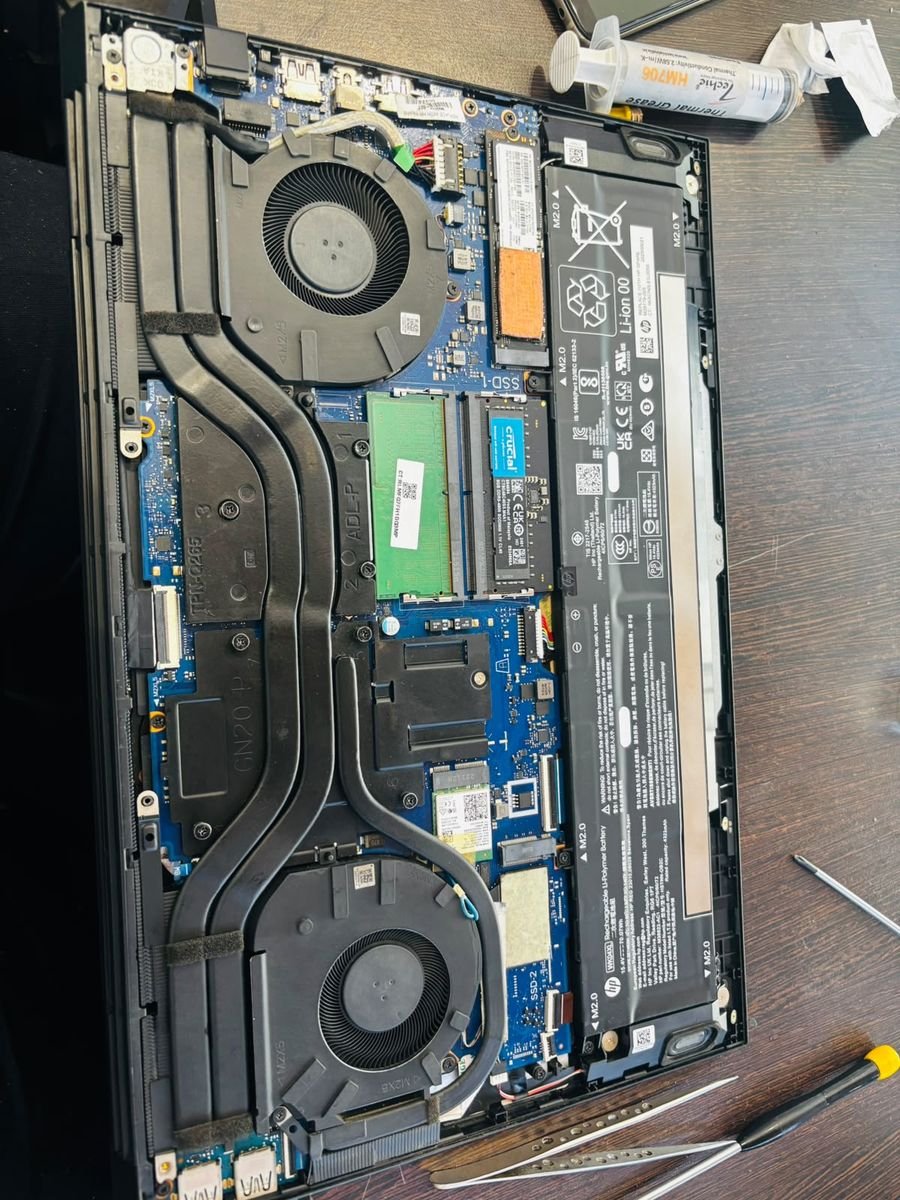
A real cooling service at our workshop on an HP laptop: dust cleared from the fan, old thermal paste replaced and the heatsink refitted.
Good to know
More about overheating and fan service
Why laptops overheat
Every laptop pulls air through small vents, across a heatsink and out through a fan. Over time dust and fluff collect on the heatsink fins and block the airflow, and the thermal paste between the processor and the heatsink dries out. Using a laptop on a bed or lap, or in a dusty room, makes it worse. The result is a hot laptop, a loud fan and a processor that slows itself down to stay safe.
Gaming and work laptops
Gaming laptops and laptops used for editing or design produce much more heat and clog faster. If yours runs games or heavy software, a cooling service every year or so keeps performance steady and protects the graphics chip and motherboard.
What a proper service includes
A real cooling service means opening the laptop, removing the fan, cleaning the fan and heatsink fins, replacing the thermal paste, and checking the fan bearing. Blowing air into the vents from outside only moves the dust around. After the service we run the laptop under load and check the temperatures.
Free pickup and delivery
Free pickup and delivery. We come to you.
No need to carry your laptop across the city. We collect it from your home, hostel or office in Coimbatore, repair it on our own bench in Saravanampatti, and deliver it back. Prefer to walk in? Our workshop is on Sathy Road near Prozone Mall.
- 1
Message us
Send the brand, model and problem on WhatsApp.
- 2
We collect it
Free pickup from your door in Coimbatore.
- 3
Estimate, then repair
You approve a written estimate before any work.
- 4
Delivered back
Tested on our bench, then delivered to you.
How it works
From your door to the bench and back
Tell us the problem
Send a WhatsApp message or call. Share the brand, model and what is happening.
We collect it free
Pickup anywhere in Coimbatore, or walk in to our Saravanampatti workshop.
Diagnosis and written estimate
A technician inspects it, explains the fault in plain words, and we start only after you say yes.
Repaired, tested, delivered
Every repair is tested before it leaves the bench, then delivered back to you.
What customers say
Rated 4.9 on Google
★★★★★
Excellent service and very friendly staff. Had a really good experience. Highly recommendedArulprakash SathiyamoorthyGoogle review
★★★★★
Excellent laptop service and very quick response thank youMadhu priya VasurajaGoogle review
Want to know who will work on your device? Meet our Saravanampatti workshop. Thinking of replacing it instead? We also sell laptops and desktops.
Related
You may also need
SSD and RAM upgrades
The single biggest speed boost for an old laptop or desktop is usually an SSD, often with more memory.
Read moreLaptop repair
From a cracked screen to a laptop that will not switch on, we diagnose the fault on our own bench, explain it in plain words, and repair it only after you approve the written estimate.
Read moreChip-level motherboard repair
Many laptops that are told "the motherboard is dead" can be repaired. We trace the fault down to the failed component and repair the board on our own soldering bench, instead of replacing the whole board.
Read moreCustom and gaming PCs
We build PCs around what you actually do, whether that is gaming, video editing, 3D work or office use.
Read moreSelf-help
Try these checks first
Brands
Which laptop brand do you have?
Where we work
Free pickup from Saravanampatti across Coimbatore
Common questions
Frequently asked questions
How often should a laptop be serviced for dust and heat?
It depends on use and the environment. If the fan gets loud or the laptop slows down when hot, it is due.
Will cleaning make my laptop faster?
If it was throttling because of heat, yes. A cooler processor can run at full speed again.
Is a cooling pad enough?
A cooling pad helps a little, but it does not remove the dust inside or replace dried thermal paste. If the laptop is already overheating, it needs a proper internal clean.
Can overheating damage my laptop?
Yes. Regular high temperatures put stress on the battery, the processor, the graphics chip and the motherboard, and can shorten the laptop's life.
Ready to get it fixed?
Message us on WhatsApp or call. We reply with the next step and arrange free pickup.